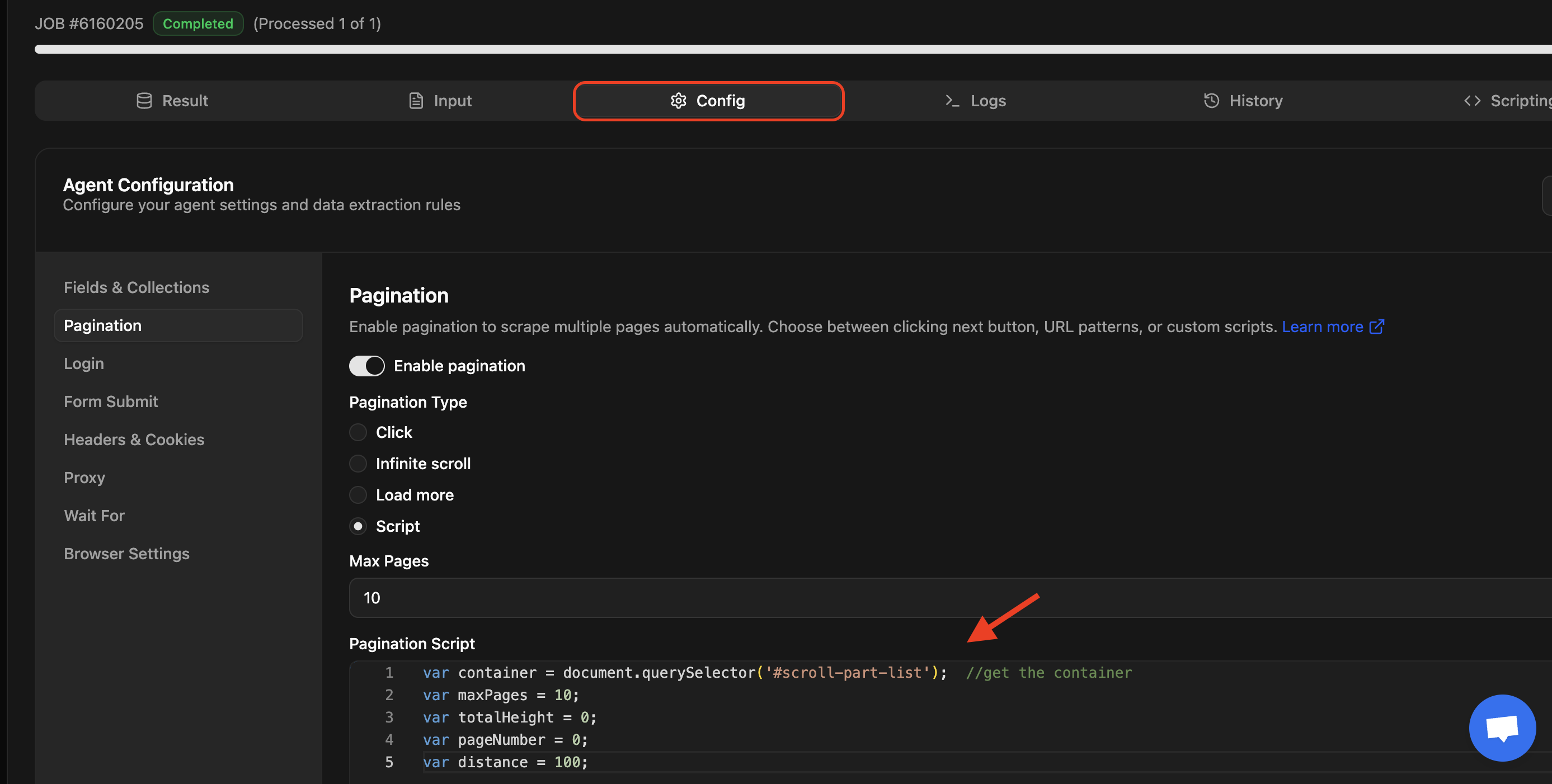
In this article I will show you how to write a custom JavaScript function to infinite scroll a webpage container till the end for web scraping the data loaded on page scroll.
var container = document.querySelector('#scroll-part-list');  //get the container
var maxPages = 10;
var totalHeight = 0;
var pageNumber = 0;
var distance = 100;
var timer = setInterval(() => {
  var scrollHeight = container.scrollHeight;
  container.scrollBy(0, distance);
  totalHeight += distance;

  if (totalHeight >= scrollHeight) {
    pageNumber += 1;
  }
  if (pageNumber >= maxPages) {
    clearInterval(timer);
  }
}, 100);
Slow scroll
The setInterval() function is used to scroll slowly.
var timer = setInterval(() => {
   // Your code here
}, 100);
The timer will wait for 100ms before running the code again. If any web page is slow, you may increase/ decrease the 100 ms value to some other as needed.
Window and container scroll
Some webpages doesn’t scroll the whole window, they just have a div block with products and when you scroll - just that container is scrolled
So, if you need to scroll the whole window - change you function to use window in these two lines instead the container
  var scrollHeight = window.scrollHeight;
  window.scrollBy(0, distance);
Pagination
The pageNumber variable is used for pagination to exit the scroll when maxPages has been reached or end of page (whichever comes first)
if (totalHeight >= scrollHeight) {
    pageNumber += 1;
  }
Testing your infinite scroll function
You can use the Chrome script snippets option to test your function on Chrome.
- Open Chrome developer mode
- Click on New snippet button
- Enter the function code in editor
- Press
Ctrl+Enteror click on the play icon on right bottom corner to execute and test.

Use the function in Agenty
- Go to your scraping agent page
- Go to configuration tab > Pagination
- Enter the function code in Script text area box.