To extract product URLs from a webpage or string with Agenty’s Chrome extension, select the link element and extract its href attribute. This gives you the hyperlink value rather than the link text.
Extract product links with ATTR and href
When setting up your scraping agent in the Chrome extension:
- Click the product link element to generate a selector automatically, or enter its CSS selector manually.
- Select
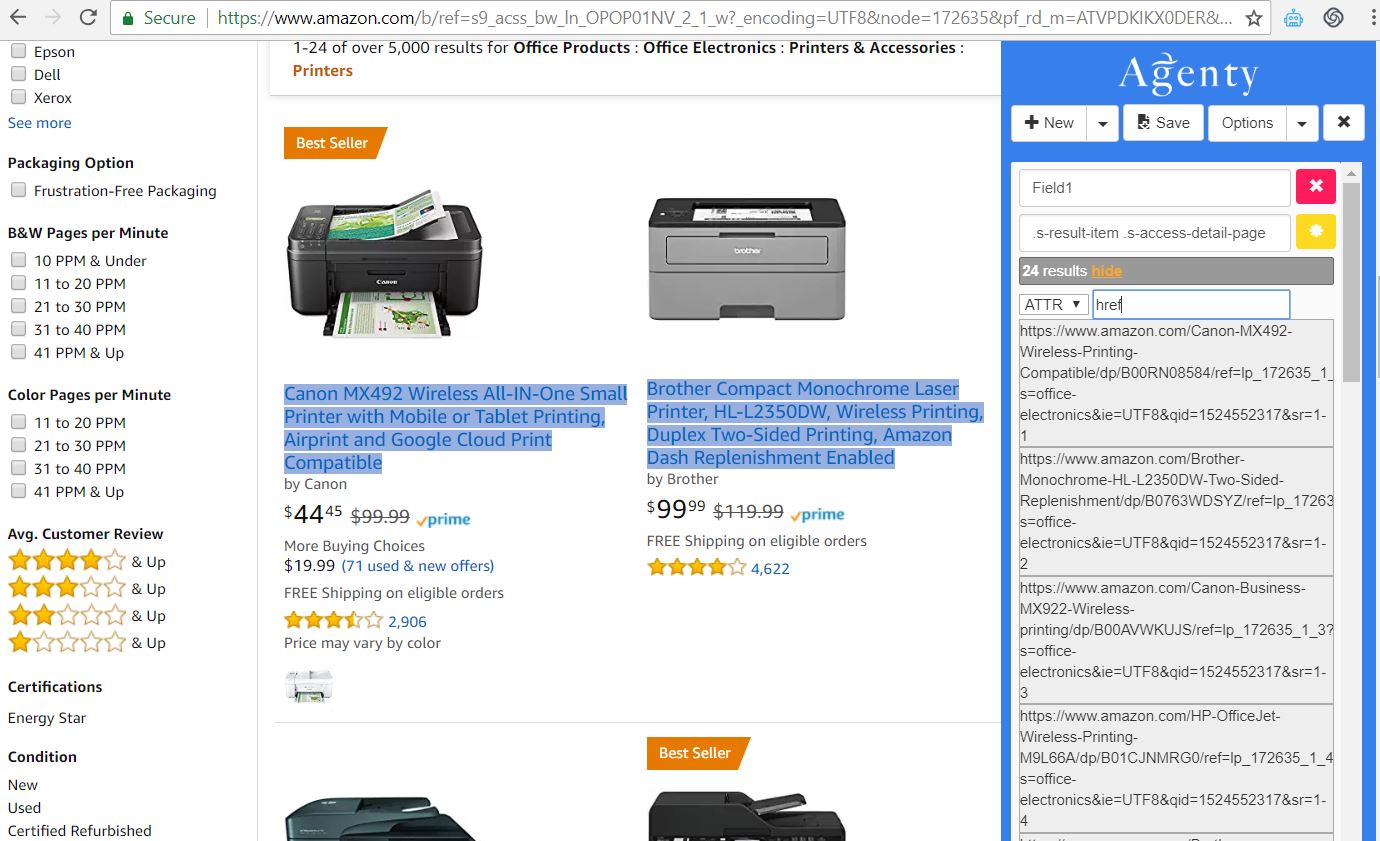
ATTRfrom the extraction options dropdown. - Enter
hrefas the attribute to extract, as shown in the screenshot below.
The attribute option is case sensitive. So if the target website has the small character then you need to use the small cases like “href” and capital case when in capital "HREF "
Extract other HTML attributes
The ATTR (Attribute) option isn’t limited to hyperlinks. You can use it to extract any attribute value from an HTML tag, including:
- Alt of an image : alt
- Image source path using the attribute as “src”
- HTML 5 data-tag : data-id, data-name etc using the name of data attribute as “data-xx”
- Title, href, meta description content, hidden tag value, class, id and more…
For each field, select the element and enter the attribute name in ATTR.