When an ecommerce site displays different product prices for different zip codes, you need to capture the prices for each region. With Puppeteer request interception, you can replace the zip code in an outgoing API request and read the JSON response containing the regional prices.
Puppeteer is a Node.js library for test automation and web scraping. It provides a high-level API to control headless Chromium, including the ability to intercept HTTP requests and responses.
In this example, we’ll load a webpage, enter different zip codes, and intercept the requests used to fetch prices. This lets us scrape the products data with regional pricing.
Enable HTTP request interception
Call page.setRequestInterception(true) before navigating to the page. Then register a request listener to handle outgoing requests.
const page = await browser.newPage();

  // Enable request interception
await page.setRequestInterception(true);

  // Intercept requests
page.on('request', req => {
   req.continue();
});

await page.goto('https://example.com');
Inside page.on('request'), you can access and modify each intercepted request. This example calls req.continue() to send it unchanged. If you don’t resolve an intercepted request, it may never complete.
Request interception is also used for ad blocking to improve the web scraping performance.
Modify the request body to change the zip code
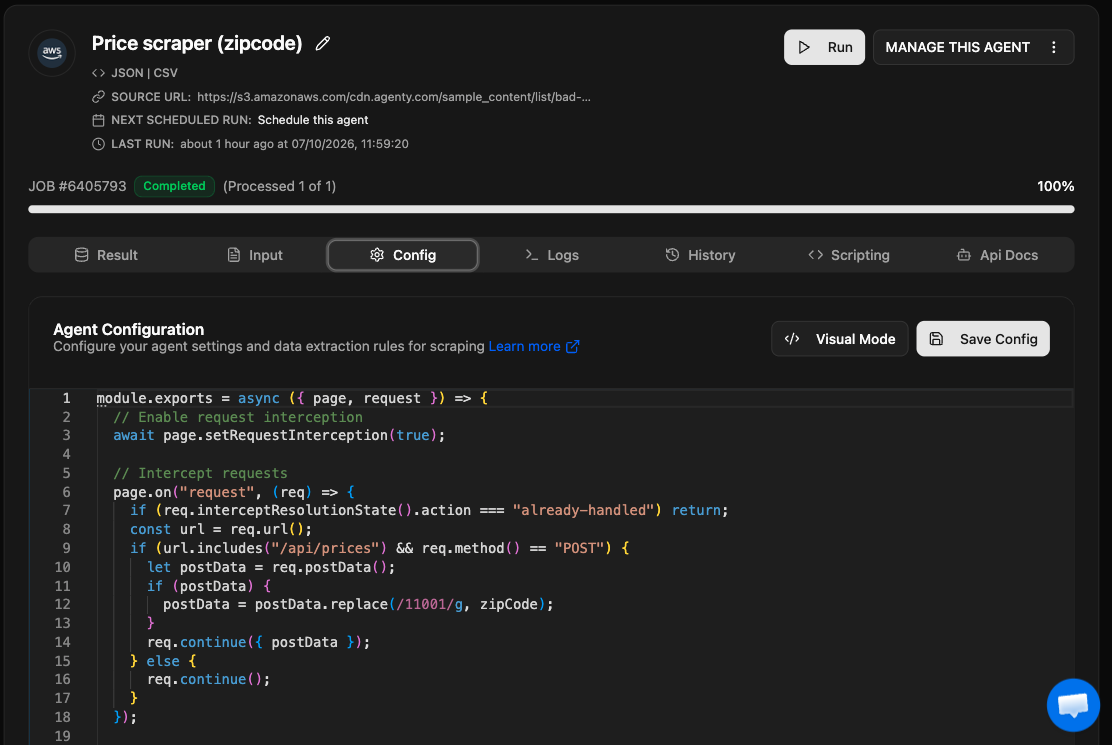
Suppose entering a zip code sends a POST request to /api/prices, with the zip code in the request body. Replace the initial request listener with the handler below to change that value before sending the request.
Define zipCode as the replacement value before running this code. The handler replaces every occurrence of 11001 in the matching request body and leaves other requests unchanged.
page.on("request", (req) => {
  if (req.interceptResolutionState().action === "already-handled") return;
  const url = req.url();
  if (url.includes("/api/prices") && req.method() == "POST") {
    let postData = req.postData();
    if (postData) {
       postData = postData.replace(/11001/g, zipCode);
    }
    req.continue({ postData });
  } else {
    req.continue();
  }
});
The already-handled check skips requests that another handler has already resolved. For matching POST requests, req.continue({ postData }) sends the modified body to the server.
Capture the API response JSON
Register a response listener before triggering the price request. It checks for /api/prices in the response URL, parses the JSON, and stores it in result.
let result = {};
// Intercept responses
page.on("response", async (response) => {
  const url = response.url();

  // Check if the URL matches the API endpoint
  if (url.includes("/api/prices")) {
    result = await response.json();
  }
});
This listener reads the response; it doesn’t modify it. If multiple matching responses arrive, each parsed response replaces the value in result.
Full example in Agenty developer mode
Agenty developer mode lets you scrape data using Puppeteer or Playwright. The example below uses Puppeteer APIs to modify the price request, capture its response, and return JSON data.
Set zipCode before running it, and replace the example endpoint and original zip code as needed for your target site.
module.exports = async ({ page, request }) => {
  // Enable request interception
  await page.setRequestInterception(true);

  // Intercept requests
  page.on("request", (req) => {
    if (req.interceptResolutionState().action === "already-handled") return;
    const url = req.url();
    if (url.includes("/api/prices") && req.method() == "POST") {
      let postData = req.postData();
      if (postData) {
        postData = postData.replace(/11001/g, zipCode);
      }
      req.continue({ postData });
    } else {
      req.continue();
    }
  });

  // Intercept responses
  let result = {};
  page.on("response", async (response) => {
    const url = response.url();

    // Check if the response URL matches the API endpoint
    if (url.includes("/api/prices")) {
      result = await response.json();
    }
  });

  // Navigate to the web page
  await page.goto(request.url);

  return {
    data: [result],
    type: "application/json",
  };
};
The example navigates to the page but doesn’t enter a zip code in the site’s UI. If the site requires that interaction to fetch prices, you’ll need to trigger it. Also, page.goto() doesn’t explicitly wait for the asynchronous response handler to finish parsing the JSON. Make sure the matching response has been captured before returning the data, or result may still be empty.