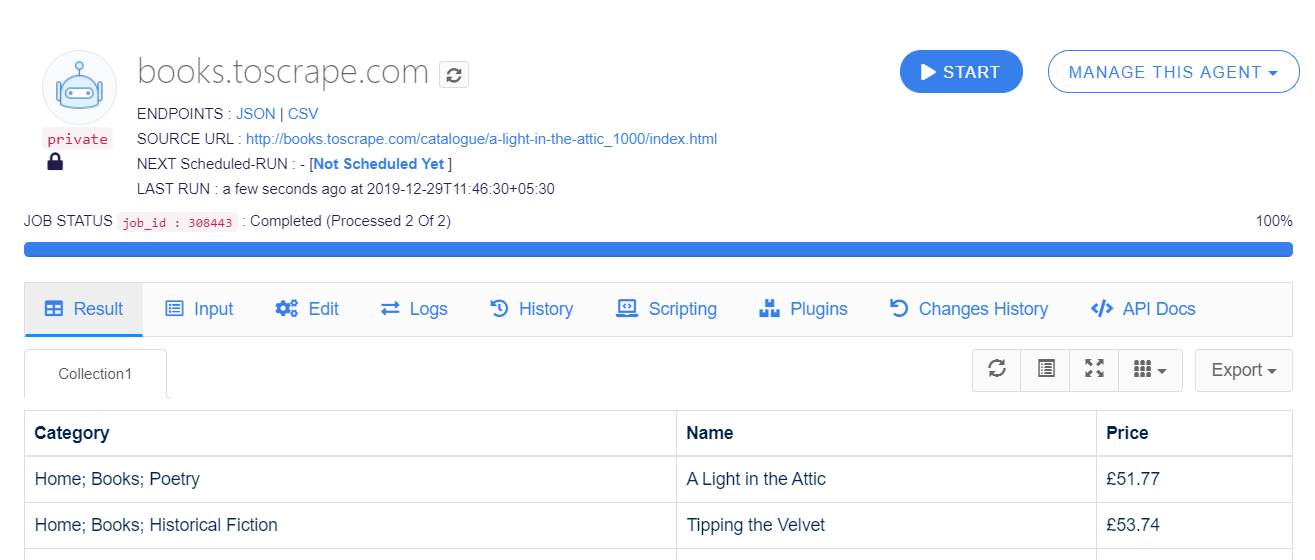
If a field extracts multiple matches and you want them in one cell, enable Join for that field in Agenty. It combines the extracted values into a single delimited string, so you can keep one product per row.
Product pages often contain multiple categories, sizes, images, or colors, as shown in the color variants scraping example. By default, the scraping agent displays each match in a separate row. Use Join when you need those values together instead.
Example: join product categories into one cell
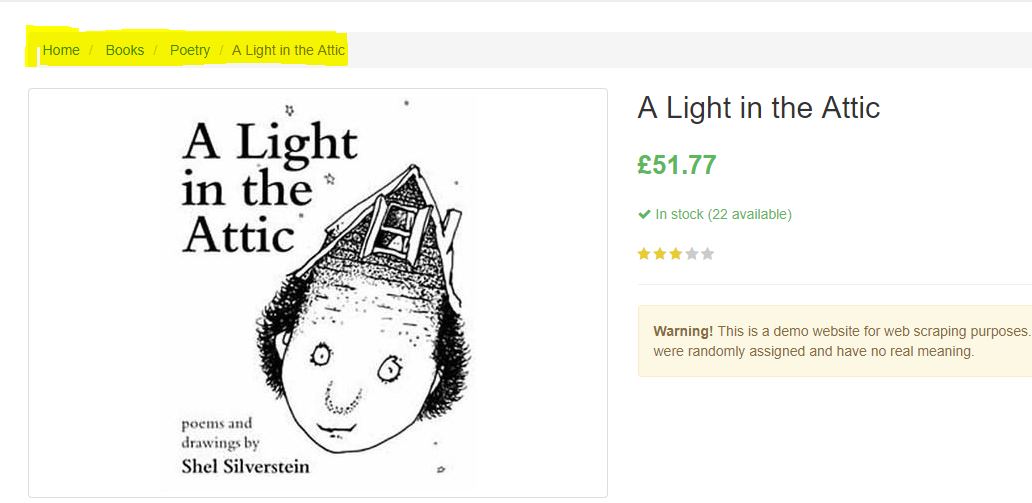
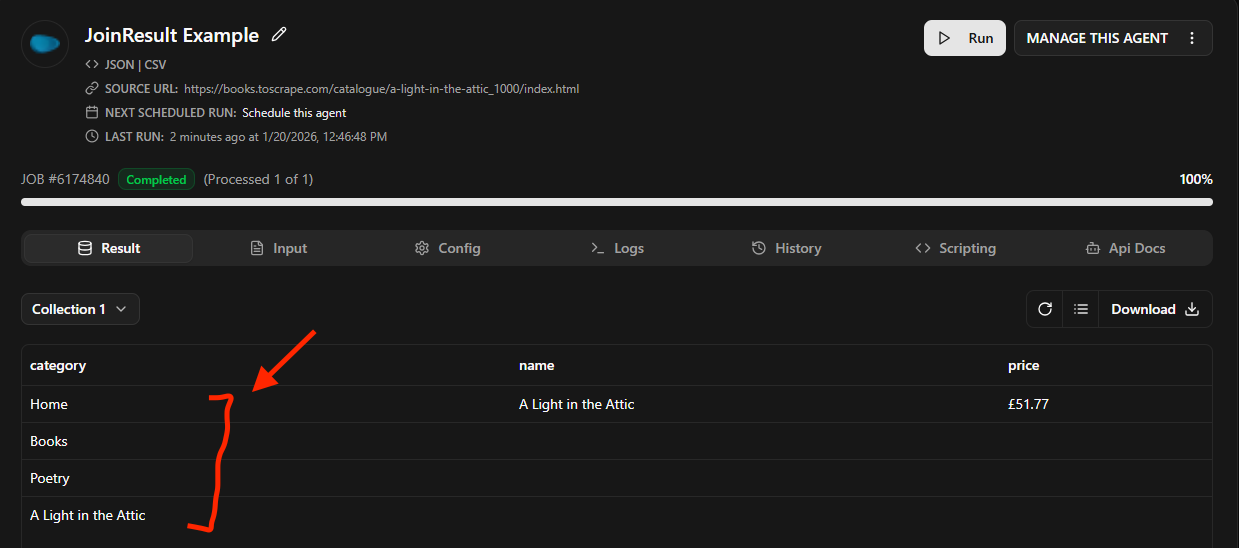
On this book page, the breadcrumb shows Home > Books > Poetry, followed by the book name. The .breadcrumb a selector extracts three matches in separate rows, while product_name and price appear only in the first row.
http://books.toscrape.com/catalogue/a-light-in-the-attic_1000/index.html
Before: categories in separate rows
Enable Join for the Category field
- Click the Edit tab to edit the scraping agent.
- Open Config and select the field you want to join. For this example, select Category and enable the Join switch.
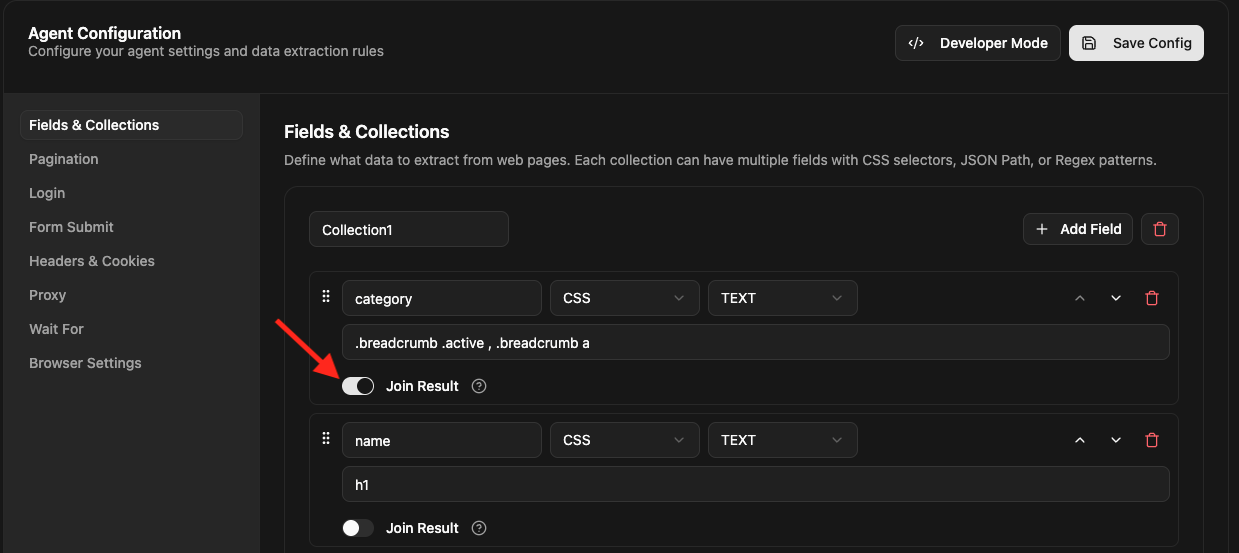
- Click Save to save the scraping agent configuration.
- Re-run the scraping agent to apply the changes.
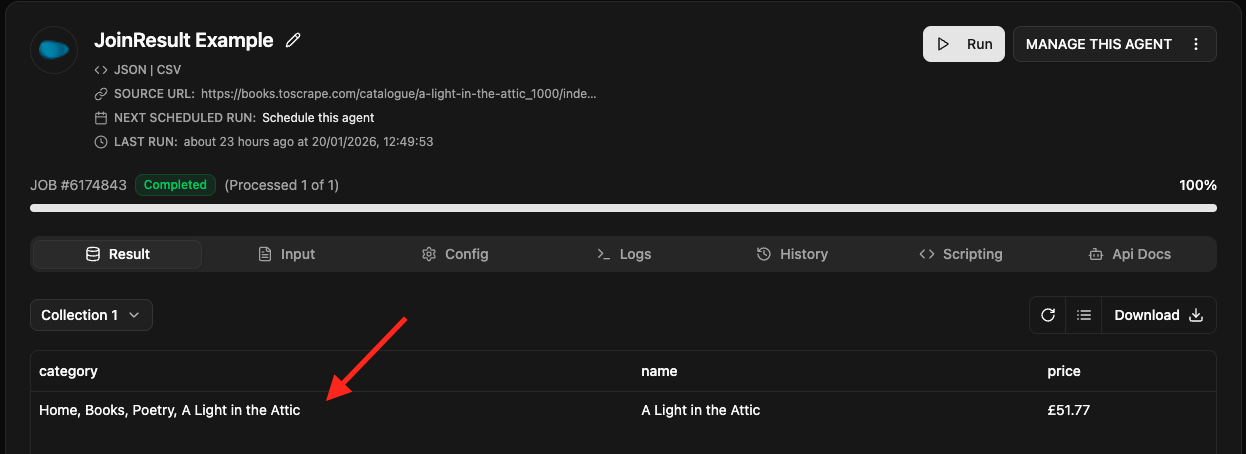
After: categories in a single cell
After the web scraping agent runs, the Category values appear together in one cell.
Set a custom join delimiter
Join uses a comma (,) as the default delimiter. To use a different separator, add the JoinDelimiter Post-processing function to the field and provide your custom delimiter.
For example, to separate the values with a semicolon (;), configure the field’s post-processing function as shown below.

Re-run the web scraper to see the values joined with your custom delimiter.