If you’re scraping a Shopify product page and only getting the default color, add a field that matches all the color options. Agenty’s Web Scraping Agent can extract these variants into separate rows, rather than returning only the default color.
You can use this approach on different websites by finding the selector for their color options. The example below uses a product page with three color variants available to select when purchasing: https://s.bootsnipp.com/iframe/7n1O8
1. Add a field to extract all product colors
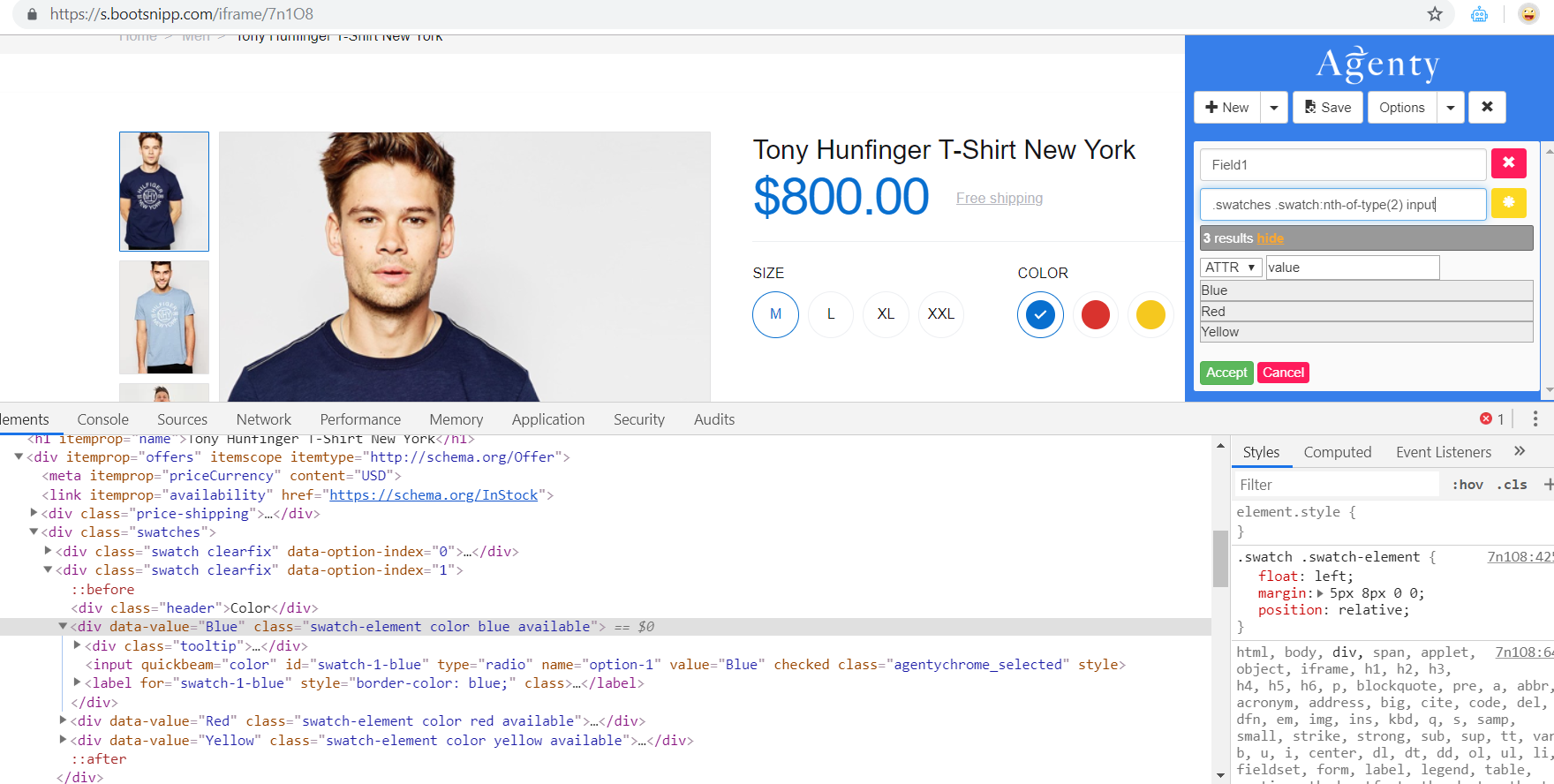
Find the selector for the color options, then add a field to scrape them. For this example, use .swatches .swatch:nth-of-type(2) input.
Choose the attribute option and extract the value attribute from the input HTML elements. This captures all three color values.
2. Add the product name and price
Add the other fields you need, such as product name and price, then save your scraping agent. The default output looks like this:
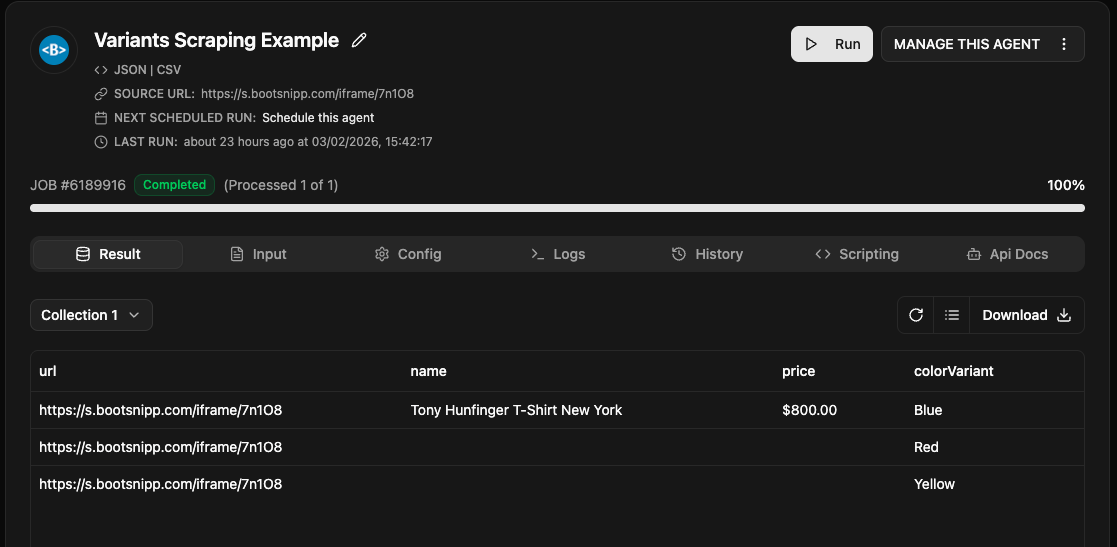
The product name and price fields each have one match, while the color field has three matches. Agenty therefore uses three rows by default, giving each color its own row.
Optional: Keep all colors in one cell
If you’d prefer a single cell instead of separate rows, use the string join function. It combines multiple extracted results into one cell, separated by commas or another delimiter.