AI web scraping is changing how business collect, structure, and automate data from the web. With Agenty’s AI-powered scraping tool, you can build smart scrapers that understand page context, extract structured data, and scale to thousands of URLs with minimal setup.
In this guide, I will show you how to scrape websites using Agenty AI, from creating your first scraper with large language models (LLMs) to publishing agents, running bulk URL crawls, and using the API for automation.
Create web scraper with AI
Agenty lets you create a web scraping agents using AI instead of writing complex selectors or using the extension to build your agent visually.
Models and LLM
Agenty’s deep-thinking AI automatically runs and compares scraping results from multiple large language models across top providers like OpenAI (GPT-5.2, GPT-4.1), Google Gemini, Anthropic Claude, Meta Llama, and Mistral. This multi-model approach ensures your AI web scraping uses the best LLM for each website.
- Log in to your Agenty account.
- Click Create Agent.
- Enable Auto Model Selection (enabled by default).
- Add a sample URL of the website you want to scrape.
- Let Agenty automatically analyze the page and select the best LLM for that URL.
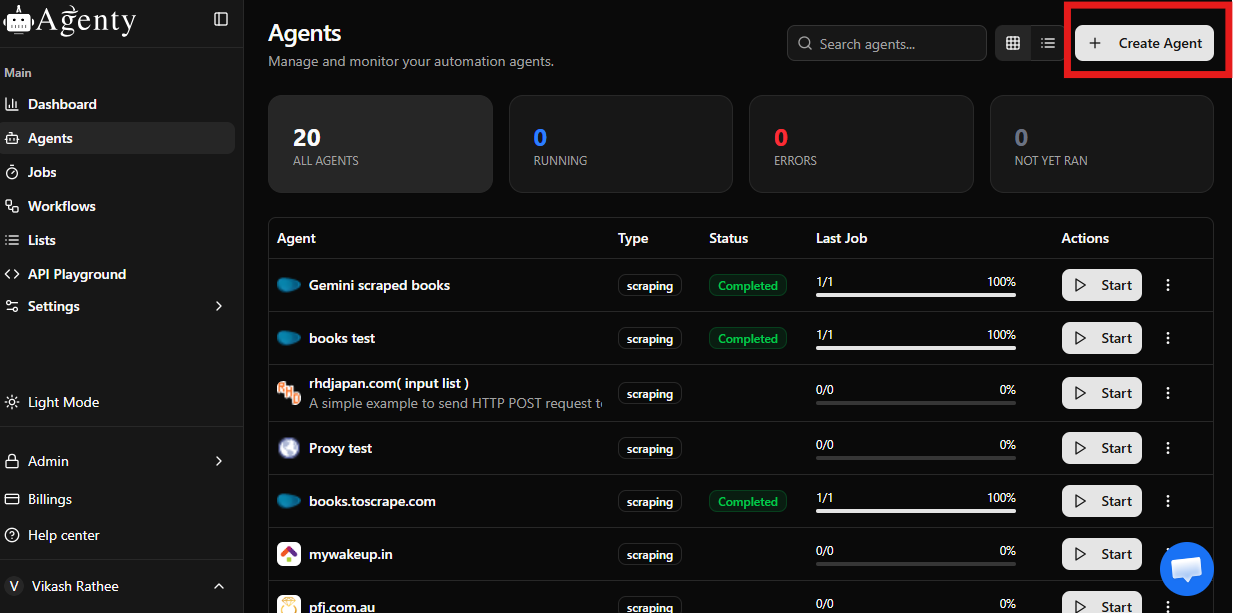
Instead of manually choosing a model, Agenty analyzes every page’s structure, content type, and layout. It processes the same URL through several leading LLMs and evaluates which model understands the page context and data patterns most accurately.
Based on this comparison, Agenty selects the best AI model for web scraping and results display the result preview, screenshot and CSS selectors for scalable web data extraction.
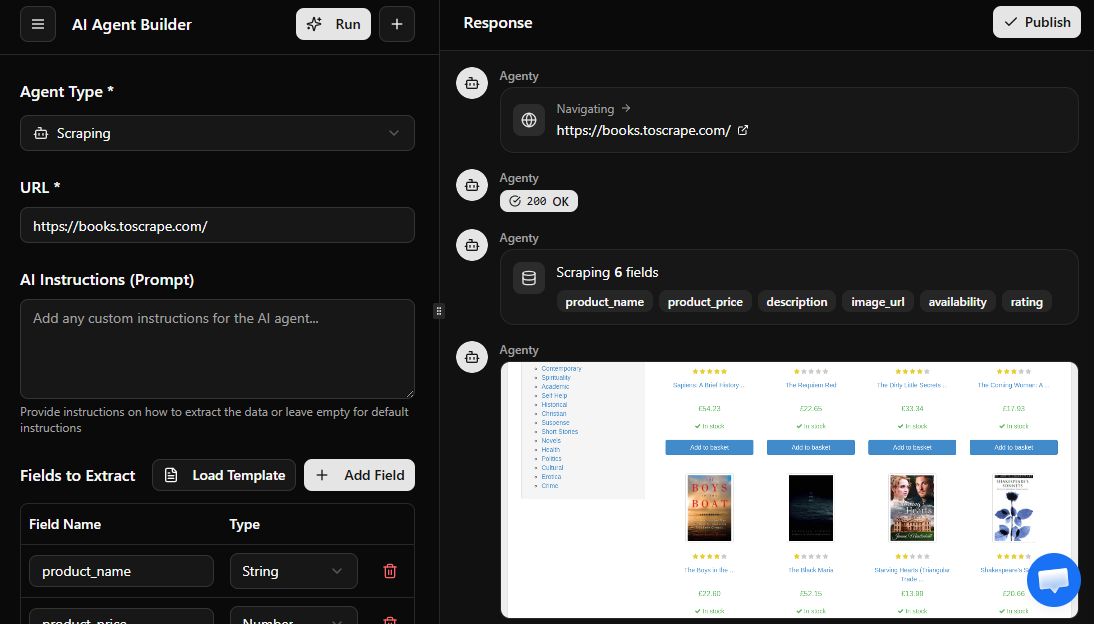
Fields and instructions
Now define what data you want to extract. For example, here is what I’ve defined to scrape product data from an eCommerce website.
| Field Name | Type | Instruction |
|---|---|---|
| title | string | Extract the main product title from the page heading. |
| price | number | Extract the visible price shown near the product title. |
| description | string | Extract the short description from the product details section. |
| rating | number | Extract the average user rating shown with star icons. |
| reviews_count | number | Extract the total number of user reviews displayed near the rating. |
| image_url | string | Extract the main product image URL. |
| availability | string | Extract whether the product is in stock or out of stock. |
Templates
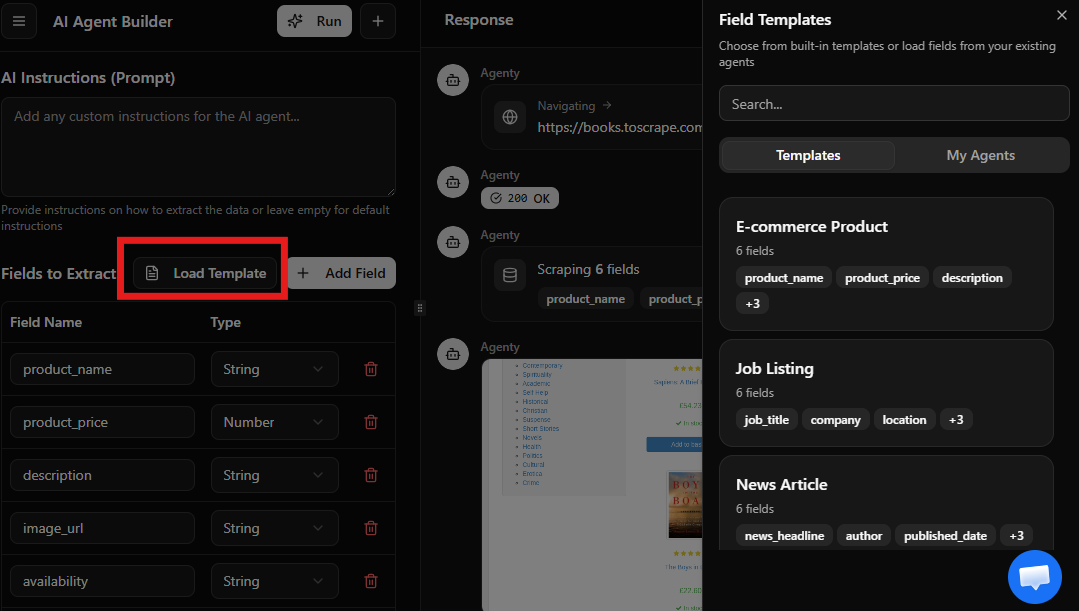
You can also use templates to reuse the scraper fields across similar websites, for example you can use our product template to scrape product fields.
- Click on Load Template
- A dialog box will appear on the right side with list of templates available to use.
- Click on the template to load the fields
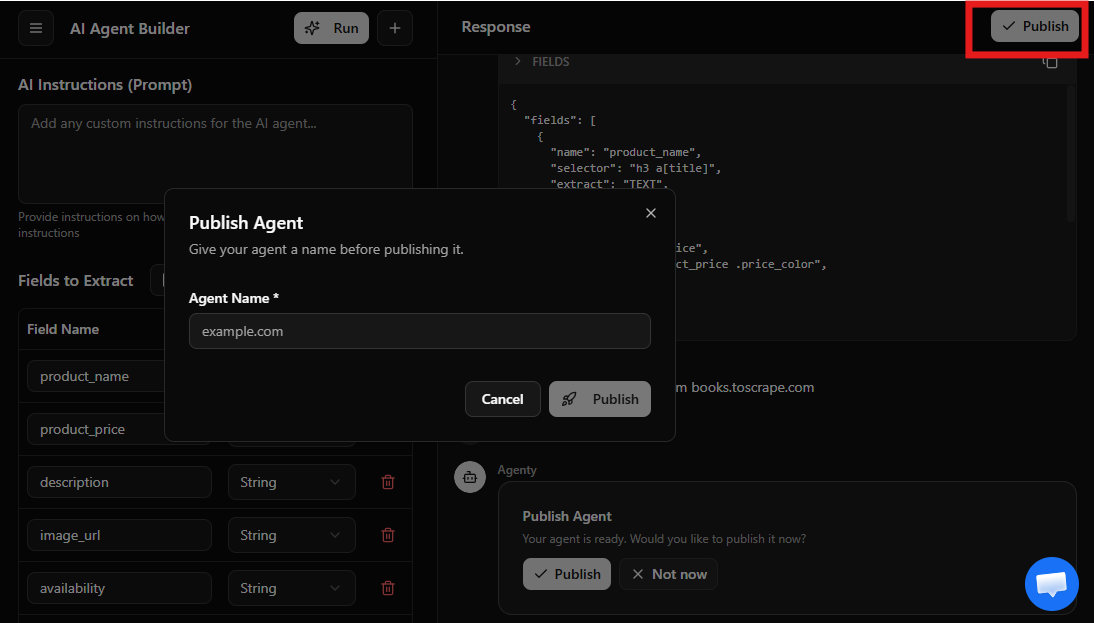
Publish agent
Once the sample is reviewed, you can publish the agent for advanced features like scheduling, bulk URL crawling, and API access.
Bulk URL scraping
Now you can scale your data extraction using bulk URL scraping.
- Go to input tab
- Select input type Manual URLs
- Enter the URLs list in input and save
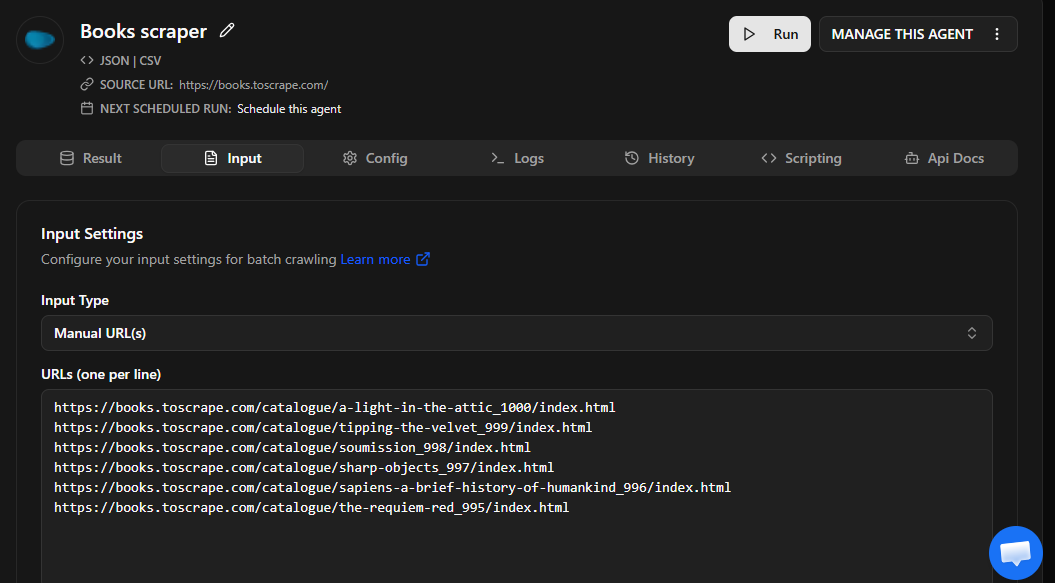
and start the scraping job by clicking on the Run button, the job will be executed on server with geo-based proxies to scrape anonymously
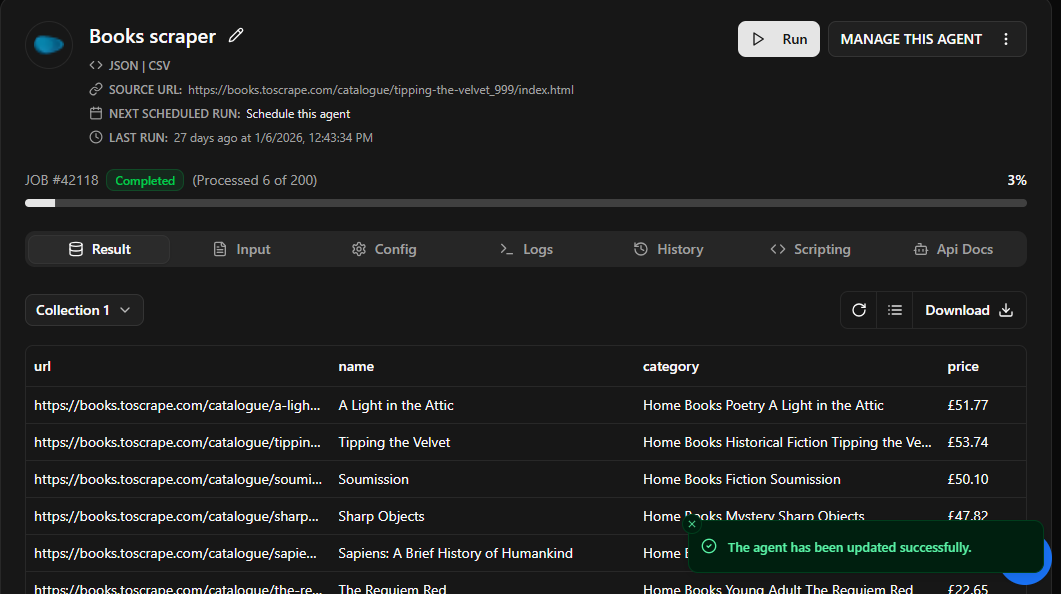
Start scraping with API
You can trigger AI web scraping jobs programmatically using Agenty’s API.
If you’re a developer or you need to integrate web scraping data directly into your applications, Agenty’s REST API lets you start scraping jobs, submit URLs, monitor job status, and download structured JSON data.
You can connect your scraping pipeline with Python, JavaScript (Node.js), backend services to automate data extraction at scale.
Here is an example to start a scraping job using fetch on Node.js -
// Start a scraping agent
const response = await fetch(`https://api.agenty.com/v2/agents/{AGENT_ID}/start`, {
  method: 'POST',
  headers: {
    'Authorization': 'Bearer {API_KEY}',
    'Content-Type': 'application/json',
  },
  body: JSON.stringify({
    input: {
      type: 'url',
      data: ['https://example.com/page-1', 'https://example.com/page-2']
    }
  })
});

const result = await response.json();
console.log(result);