To track a competitor's price, point a change detection agent at their product page, tell it to watch the price, and let it check on a schedule. When the price moves you get an email with the old and new value. Nothing else on the page, like reviews, banners or "Delivery by" dates, triggers an alert.
This guide tracks two real products on the MMTC-PAMP store, a 100 g silver bar and a 10 g gold bar. Precious metal prices change often, which makes them a good test, but the steps are the same for a SaaS pricing page, an Amazon listing or a hotel rate.
Track the price of one product
- Open the agent builder and choose Change Detection.
- Paste the product URL into Page URL:
https://www.mmtcpamp.com/shop/silver/silver-bar/banyan-tree-silver-bar-100gm - In What should the agent watch for?, write
Alert me when the price of the 100 g silver bar changes. - Click Set up with AI.
AI reads the page and picks the smallest element that holds the price. On this page it chose .specific-product-price, and the preview shows exactly what will be compared on every check:
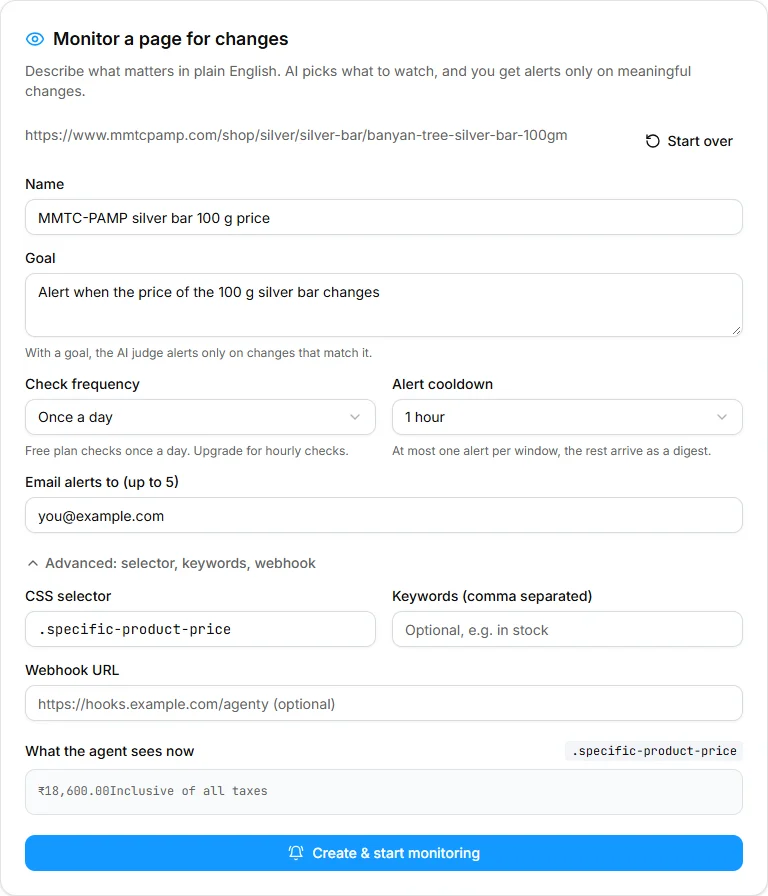
Watching only the price element matters. If the agent watched the whole product page, the delivery date that changes every day would be a "change" too. The AI judge would filter it out, but a narrow selector means it's never compared in the first place.
Click Create & start monitoring. The first check records ₹18,600.00 as the baseline. From then on, a new price produces an alert with the removed line (the old price) and the added line (the new one).
Track a second product
Repeat the steps for every product you want to follow. For the gold bar, the URL is https://www.mmtcpamp.com/shop/gold/lotus-gold-bar-24k-10gm and the prompt is Alert me when the price of the 10 g Lotus gold bar changes. AI found the same .specific-product-price element, which is common when products share a page template:
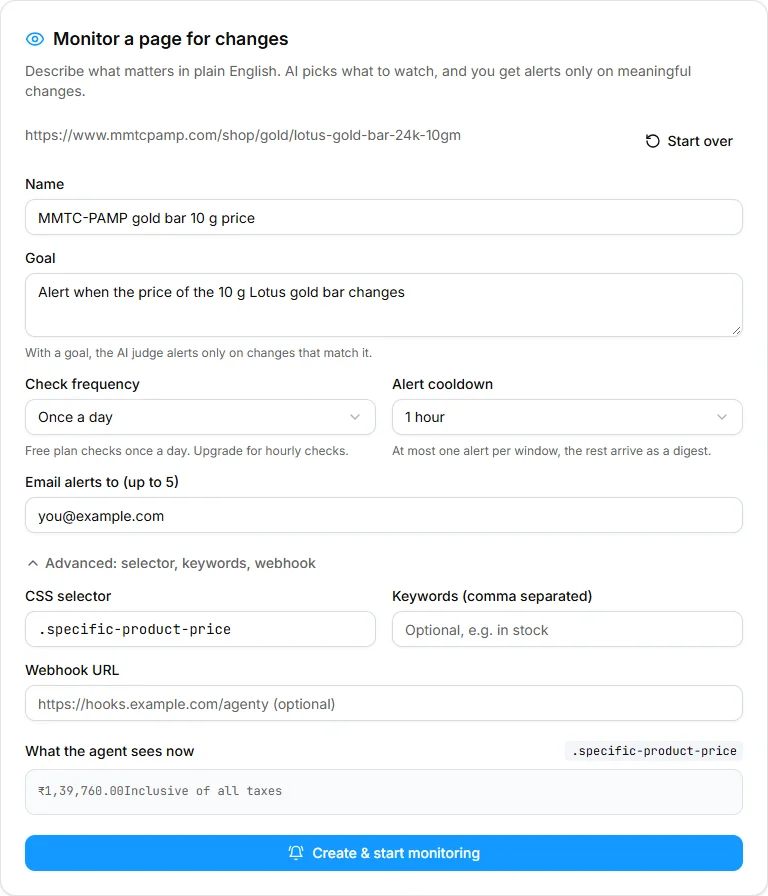
Give each agent a clear name, such as MMTC-PAMP gold bar 10 g price. You'll see that name in alert emails, webhook events and your agent list.
See the price history
Every check is saved, whether the price changed or not. Open the agent to see the checks with their screenshots:
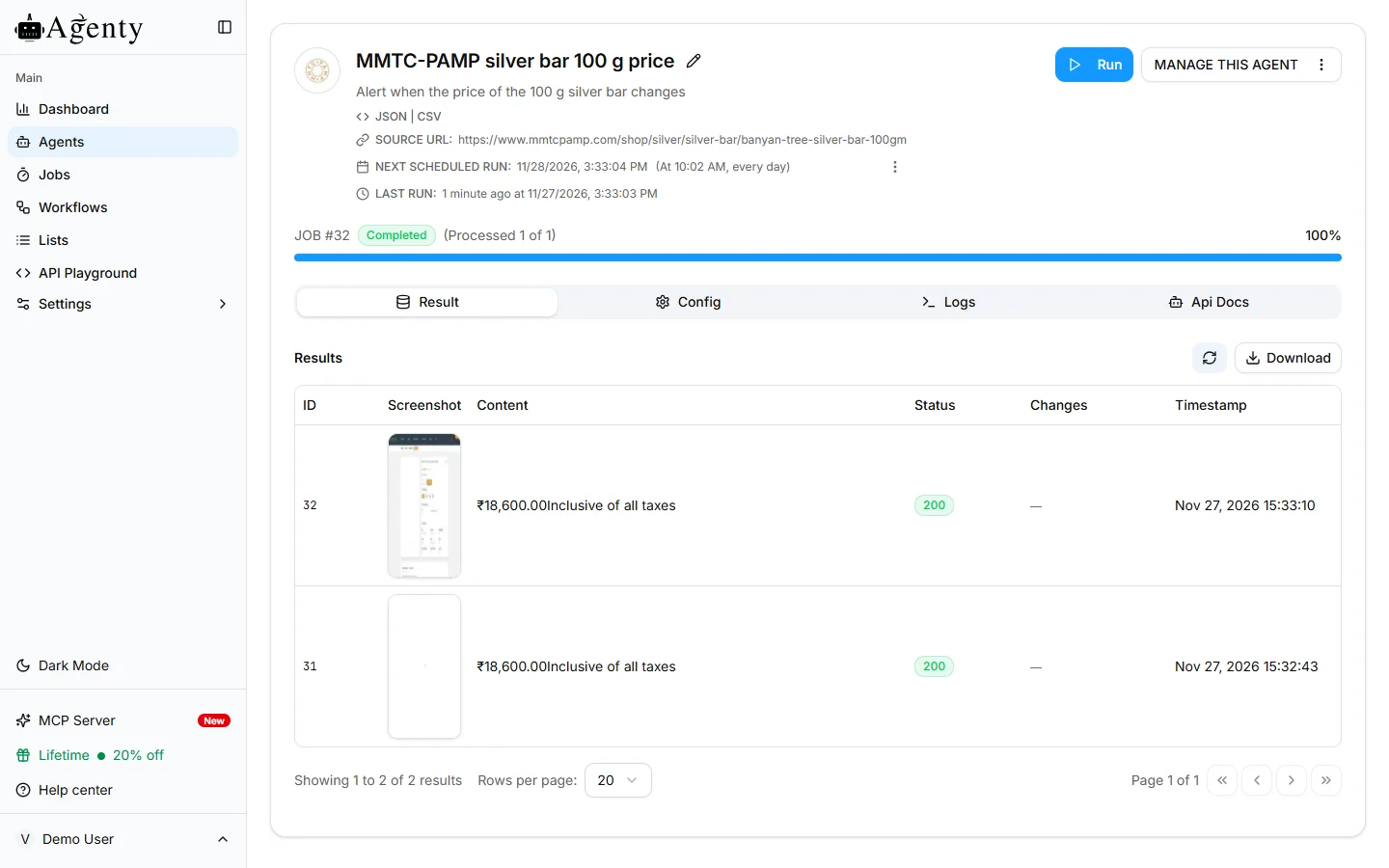
Click JSON or CSV under the agent name to download the full history and chart it in a spreadsheet. If you want prices for hundreds of products in one table, rather than alerts on a few, a scraping agent is the better fit. See competitor price monitoring for that approach.
Choose how often to check
The review screen suggests a frequency. The Free plan and lifetime plans check once a day. On Basic, Professional and Business plans you can check every hour or every 6 hours, which suits fast-moving prices like gold and silver, airline fares or marketplace listings.
If prices change several times an hour, set Alert cooldown so you get at most one email per window. Changes found during the cooldown arrive together in a digest when the window ends.
Ask Claude or ChatGPT to set it up
With the Agenty MCP server connected, you can create the same agents from a chat:
Create two change detection agents and check them once a day:
1. https://www.mmtcpamp.com/shop/silver/silver-bar/banyan-tree-silver-bar-100gm
   Alert me when the 100 g silver bar price changes.
2. https://www.mmtcpamp.com/shop/gold/lotus-gold-bar-24k-10gm
   Alert me when the 10 g gold bar price changes.
Watch only the price element, selector .specific-product-price.
Claude or ChatGPT calls create_change_detection_agent once per product. Later you can ask "what did the silver bar cost over the last week?" and it reads the results from your account. See Create a website monitor from Claude or ChatGPT.
Send price changes to your own system
Add a Webhook URL under Advanced and every alert is posted as JSON, with the summary and the removed and added lines. That's enough to update a repricing sheet, post in Slack, or trigger your own AI agent without it having to read the whole page. The payload is documented in Change detection webhooks and API.
Tips for pricing pages
- Prices in a dropdown or behind a size selector often load only after a click. If the preview is empty, open Config, then Wait For, and wait for a selector to be visible or run a script first. The AI web scraper is a quick way to check what a page shows without a login.
- If a store shows different prices by country, open Config, then Proxy, enable the proxy and pick the Country you want to see prices for.
- For a whole price list, such as a competitor's pricing table with several plans, watch the table instead of one price and write the goal as "Alert when any plan price or plan name changes".