Agenty machine translation is a SaaS based service to translate Japanese, Chinese, Spanish, French, German and 20+ other languages by simply copy-paste or excel upload to translate business documents, files, legal papers automatically on distributed cloud-servers with super-fast speed.
Rather than translating large files manually, you can use Agenty’s machine translator agent to upload your documents in a bucket and then translate them into selected languages automatically.
https://www.youtube.com/watch?v=vcqNzkwJbnQ
Step 1 : Input
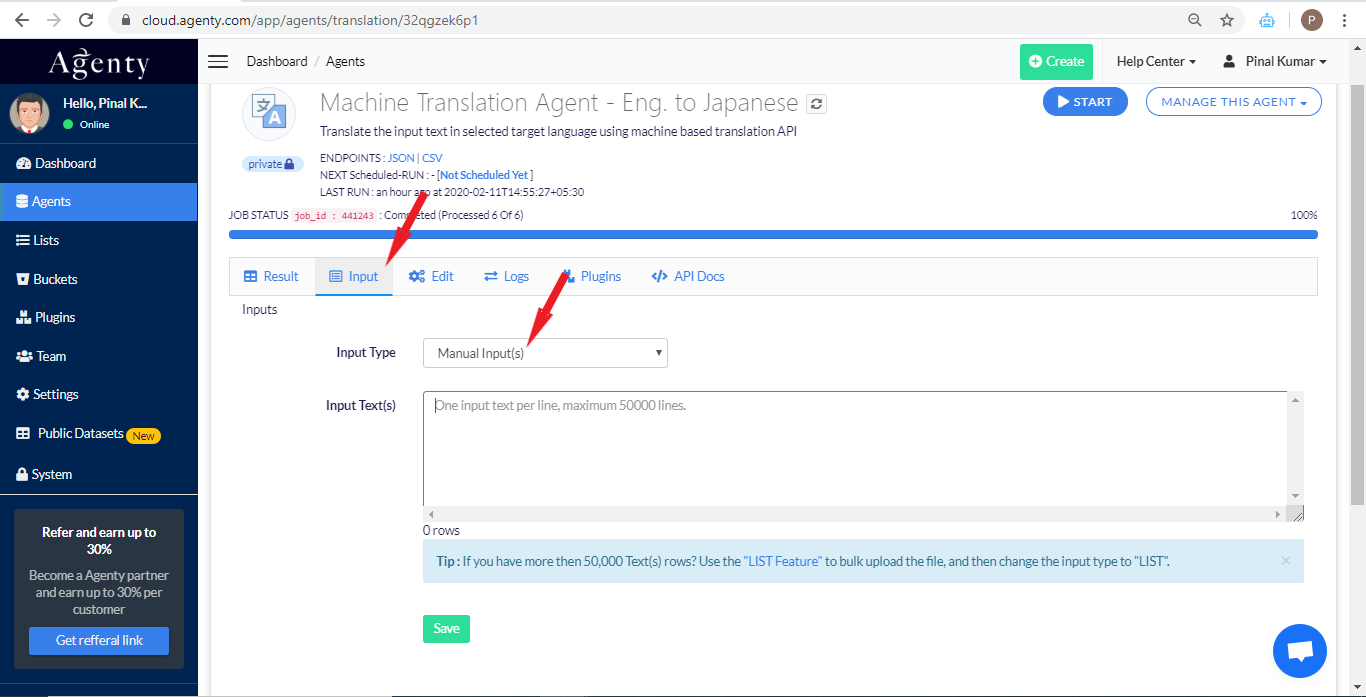
- Go to the Input tab
- Select Manual Input(s) from the drop-down
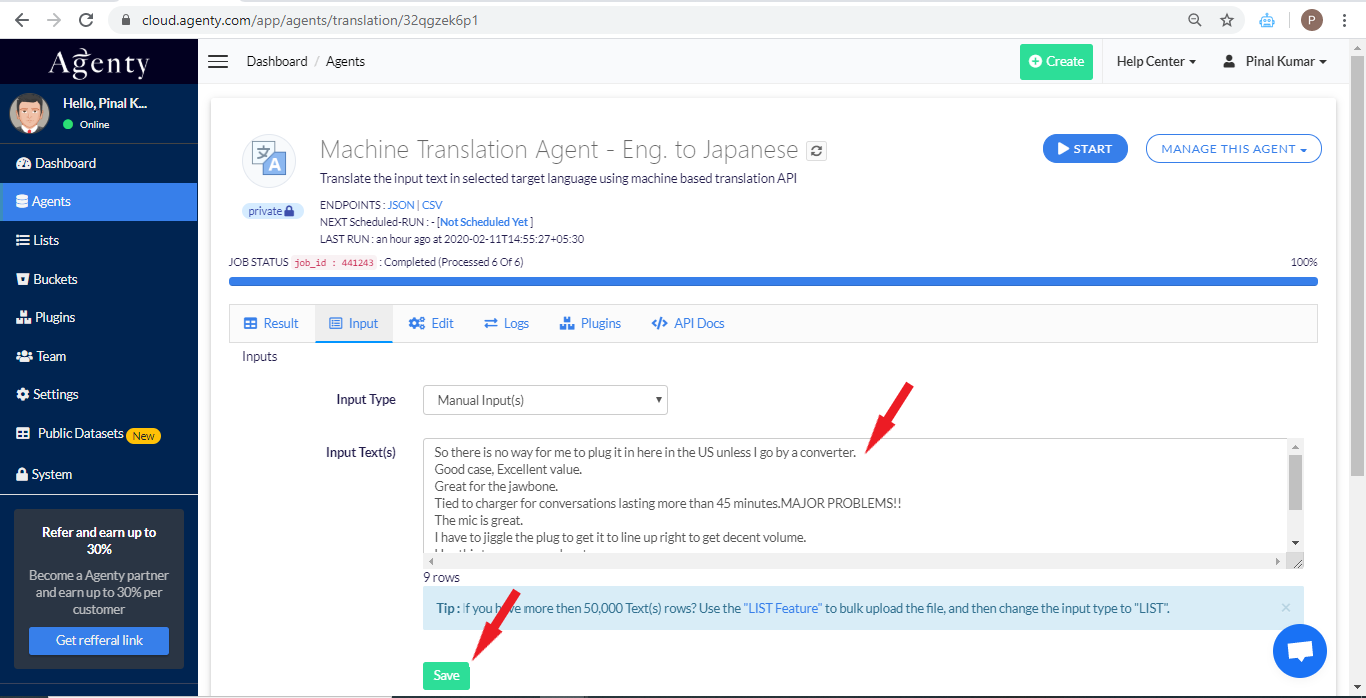
- Next, paste the text in the Input Text(s) box (one text per line)
- Then, click the Save button
Alternatively, you can use excel/csv upload option as well in input - https://www.agenty.com/docs/lists
Step 2 : Configuration
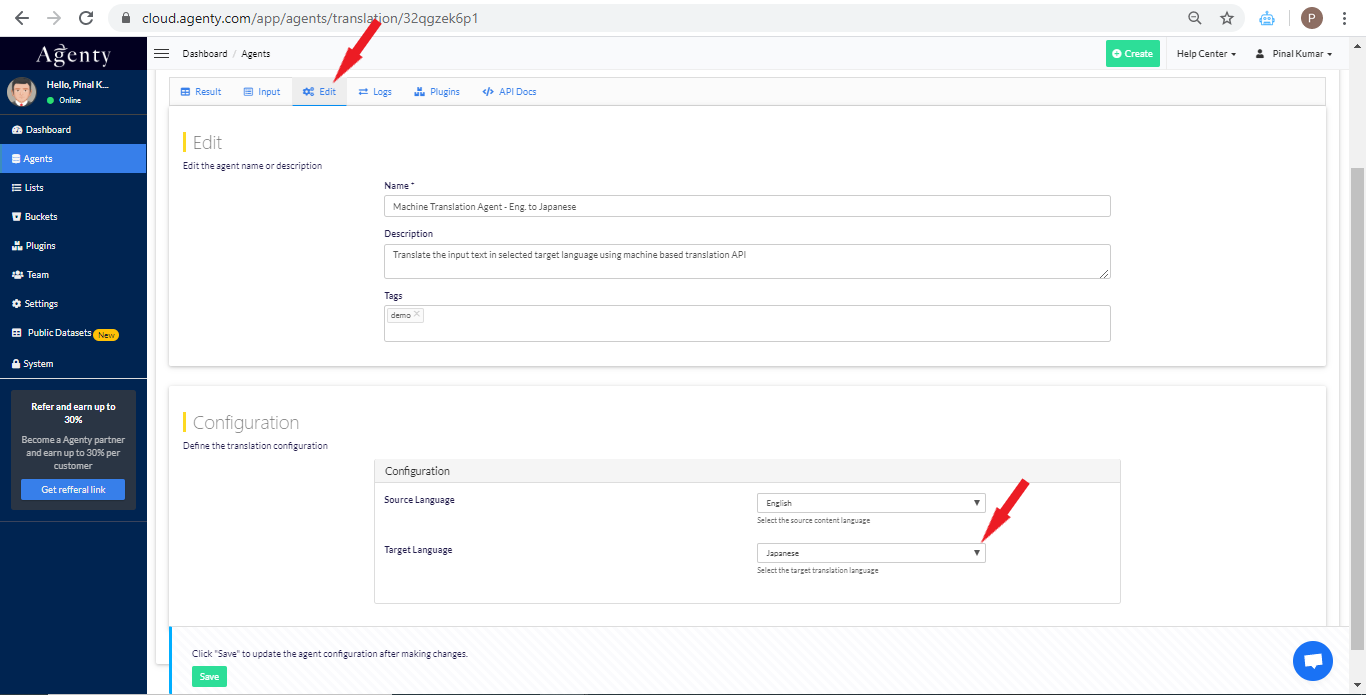
- Now, go into the Edit tab
- Select the target language as
Japanesein target languages drop-down
Step 3 : Start translation job
- Click on the Start button to run your translation job
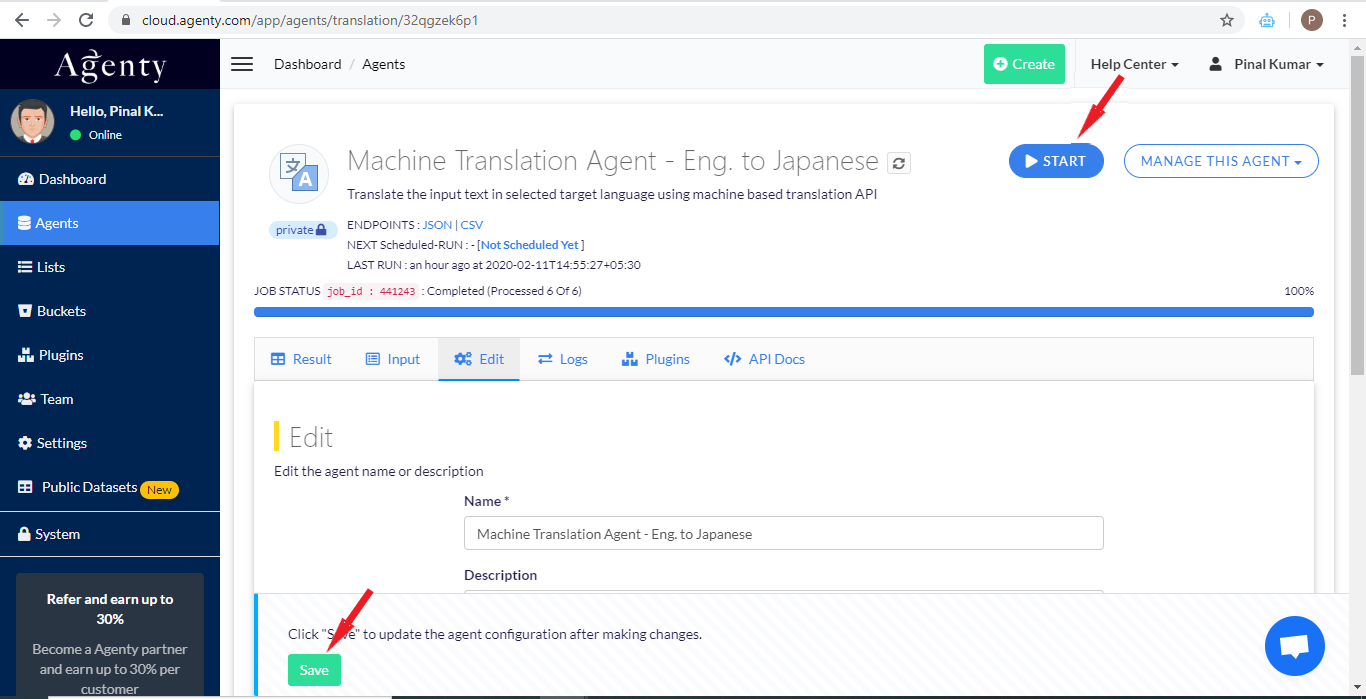
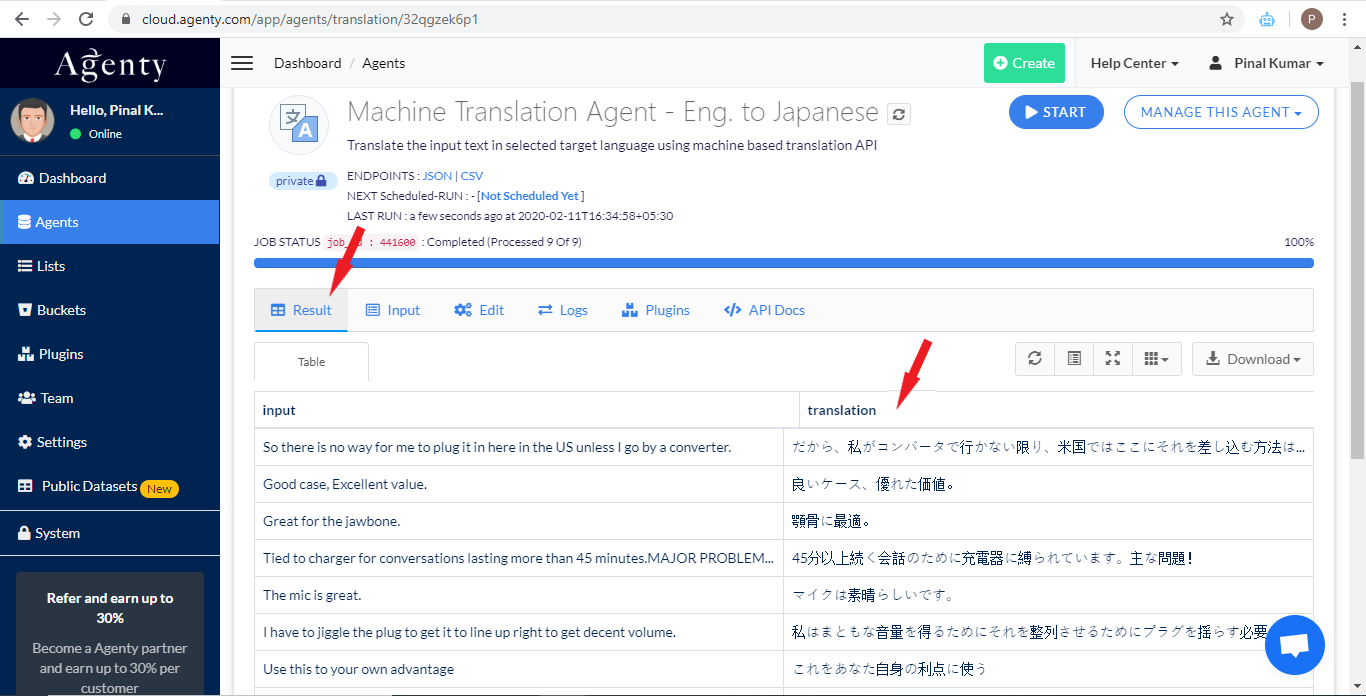
- Finally, click the Result tab to see the final output as translated text into Japanese language. Or you may click on the download button to download the output as
JSON,CSVorTSVfile.