
You’re probably dealing with a familiar mess. A stakeholder wants a pricing dashboard, inventory monitor, review tracker, or market feed. The data is visible on public pages, but the delivery deadline is tight and the engineering budget is real. So the question lands on your desk: should you integrate an API, build a scraper, or find a middle path that gives you structured outputs without owning all the scraping pain?
That’s the core web scraping vs API decision. It isn’t academic. It affects build time, reliability, downstream data quality, and how much maintenance your team inherits after launch.
In practice, the wrong choice usually shows up later. The API looked clean until you realized it didn’t expose the fields the business needs. The scraper worked in staging until a front-end redesign broke selectors across dozens of pages. The useful answer is to match the data access method to the job, then be honest about who will maintain it.
The Data Dilemma APIs vs Web Scraping
A common starting point is competitor price monitoring. You need fresh product prices from multiple retail sites every day. Some retailers publish APIs. Some don’t. Some expose only catalog basics while the public product page shows promotions, stock messages, bundle details, ratings, and delivery estimates.
That’s where the decision gets practical.
An API is the official path. It gives you structured responses, documented parameters, and cleaner integration patterns. A scraper reads what the browser can see on the public page, which means it can capture data the API never exposes. Both approaches work. Both also fail in predictable ways.
The pressure behind this choice is growing. The web scraping market is valued at USD 1.17 billion in 2026 and projected to reach USD 2.23 billion by 2031 at a CAGR of 13.78%, according to Mordor Intelligence’s web scraping market forecast. That projection lines up with what teams already experience: official APIs often aren’t enough for complete operational datasets.
If your output is a dashboard, recommendation model, or AI workflow, raw access isn’t the only issue. You also need data that can flow into analytics cleanly. That’s why teams working on embedding and extending data insights often care less about ideology and more about whether the collection method gives them complete, usable records.
Here’s the short version:
| Decision factor | API | Web scraping | Managed scraping API |
|---|---|---|---|
| Data structure | Clean and predictable | You create the structure | Delivered as structured output |
| Data coverage | Limited to exposed endpoints | Anything public in the browser | Broad public-page coverage |
| Implementation speed | Fast when docs are good | Slower upfront | Usually faster than DIY scraping |
| Ongoing maintenance | Lower | Higher | Shifted to the platform |
| Best fit | Stable integrations | Missing or restricted fields | Recurring collection at scale |
Understanding the Two Paths to Data
The cleanest way to think about APIs and scraping is this: one is an official interface, the other is direct observation of what a site publicly displays.
APIs are the front door
An API is the provider’s menu. You ask for a known endpoint, pass parameters, authenticate if needed, and receive a response in a format like JSON. That response is designed for machines, not people.
For engineers, that means fewer moving parts:
- Predictable schema means parsers are simpler.
- Versioned contracts reduce surprises.
- Standard auth and pagination patterns are easier to support in production.
If a retailer offers /products/{id} and includes the exact fields you need, use it. That’s usually the fastest route from request to usable record.
Web scraping reads the public display
Scraping works differently. Instead of calling an exposed endpoint, you load the page, render JavaScript if needed, inspect the DOM, and extract what the user can see. That includes content outside official API scope, such as badges, review snippets, availability messages, shipping notices, or comparison widgets.
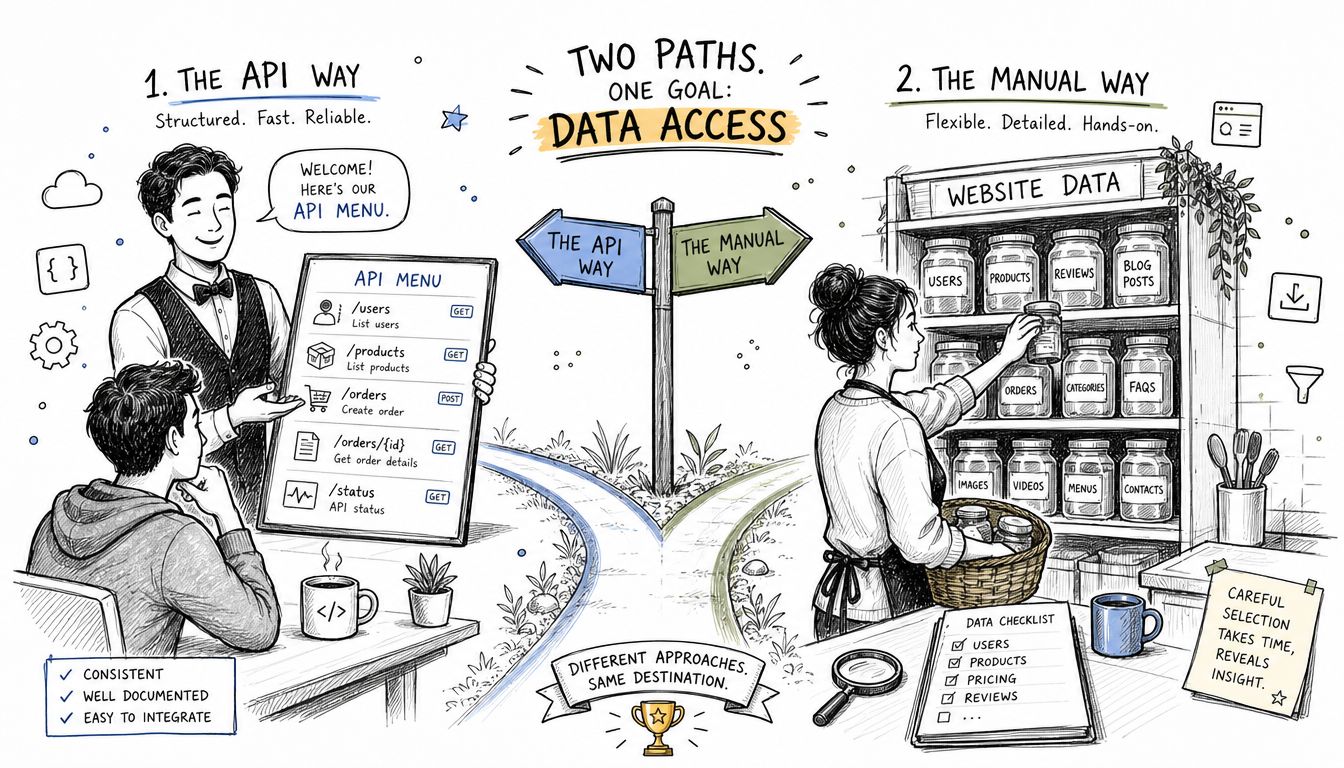
That flexibility is why scraping stays relevant even when APIs exist. Official APIs are limited to what providers choose to expose. Scraping can collect any publicly visible information rendered in the browser, including visual elements and page-level context that APIs often omit.
APIs answer the questions the provider anticipated. Scraping answers the questions your project actually asks.
There’s a practical middle layer too. Some teams don’t want to maintain browser automation, proxies, scheduling, and extraction logic themselves, but they still need public-page data. In those cases, they lean on platforms that package scraping behind an API-shaped interface, often with exports, runs, and connectors similar to other workflow integrations for downstream systems.
The real distinction
The difference isn’t just structured versus unstructured. It’s provider-controlled access versus browser-visible access.
That matters because public websites often reveal more than the official integration surface. If the business requirement is “collect exactly what a user sees,” an API may be too narrow even when it exists. If the requirement is “ingest sanctioned records with minimal maintenance,” an API is usually the right call.
A Head-to-Head Comparison
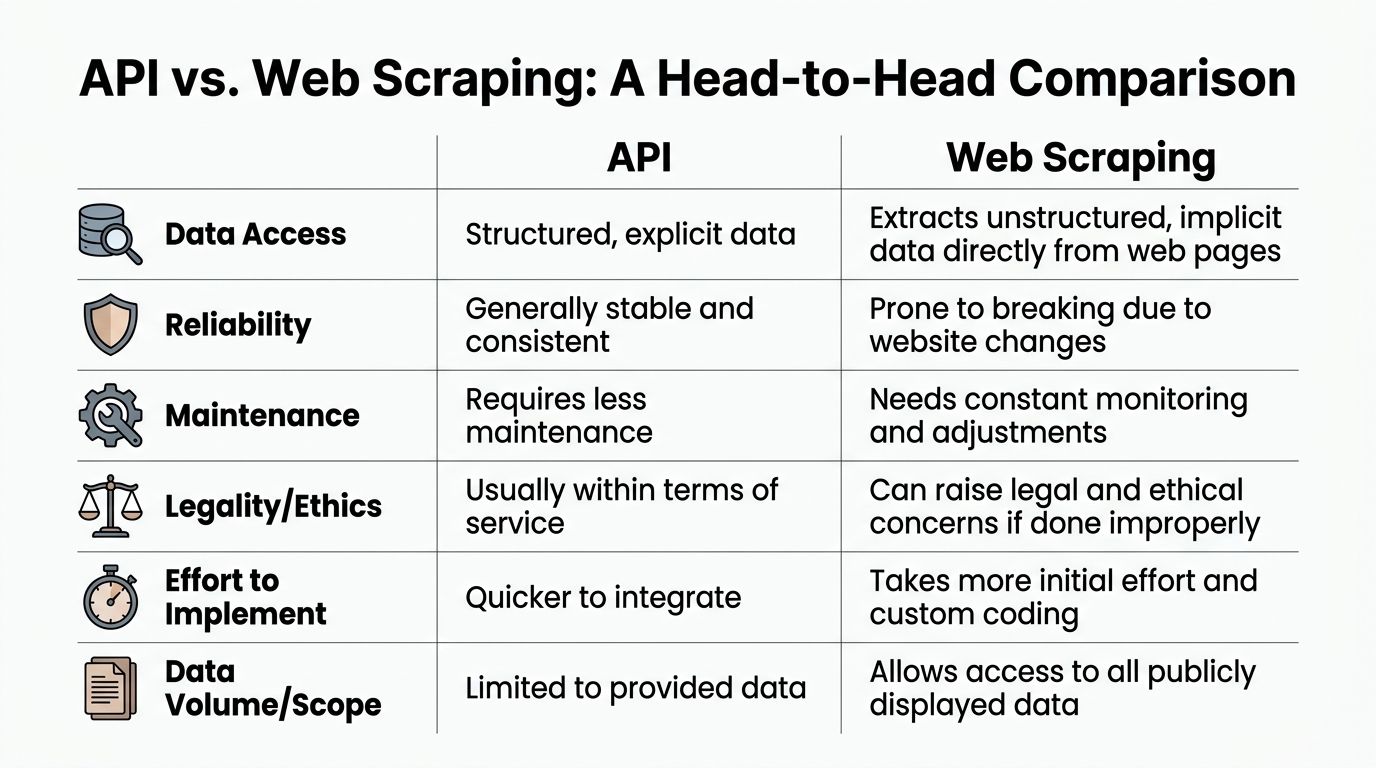
The practical web scraping vs API choice comes down to trade-offs. Speed, coverage, reliability, maintenance, and cost don’t move together. You usually gain one by giving up some of another.
Data scope
If your project only needs provider-approved fields, APIs are hard to beat. You get named fields, typed values, and a cleaner contract with less parsing.
Scraping wins when the useful data lives on the page but outside the official schema. That includes merchandising labels, stock phrases, seller notes, visual ranking cues, review summaries, and page modules stitched together by front-end logic.
Key differentiator: APIs expose what the provider wants to publish. Scraping captures what the site actually shows.
For research, competitor tracking, and catalog intelligence, that distinction matters more than many expect at the start.
Reliability
APIs are generally more stable because providers control versioning and can signal changes ahead of time. Your client code still needs error handling, retries, and auth renewal, but you’re not tied to page structure.
Scrapers are more brittle because they depend on rendered markup, timing, and anti-bot controls. A renamed class, delayed component load, or changed page flow can break extraction without warning.
That doesn’t make scraping unusable. It means you need monitoring and change management built into the job. Reliable scraping in production isn’t a script. It’s an operating model.
Speed
APIs usually return faster because the server gives you already-structured data. There’s no browser startup, layout rendering, script execution, or DOM traversal step.
Scraping is heavier by design. The request often includes page load, JavaScript execution, waits for content, then extraction. That overhead shows up immediately in pipelines that need low-latency reads or high-frequency refreshes.
For simple data pulls, speed differences may not matter. For event-driven systems or applications where response time is part of the product experience, they often do.
Cost
The cost comparison becomes less straightforward. APIs look cheaper early because implementation is simpler. But usage-based API pricing can become expensive when request volume rises. Scraping shifts cost into infrastructure, maintenance, and operations.
According to ScrapingBee’s analysis of API vs web scraping trade-offs, APIs often use usage-based pricing that scales poorly at volume, while scraping can be more economical for large-scale collection because the marginal cost of additional extraction is lower once you run the infrastructure. The same analysis notes that 70% of data-driven products use a hybrid approach.
Cost isn’t just what you pay the provider. It’s also what your team spends keeping the pipeline alive.
A low-code internal estimate helps here. Compare:
- provider request fees
- browser and proxy runtime
- engineering maintenance hours
- failed-run impact on downstream users
Maintenance
This is the category teams under-budget.
An API client usually changes when the provider changes the contract. A scraper can break because the target site changed a selector, moved a widget, introduced bot checks, or shifted content behind delayed rendering.
Maintenance overhead grows with:
- number of target domains
- number of page templates
- frequency of UI changes
- anti-bot intensity
- downstream dependency on freshness
A one-off extraction script is manageable. A business-critical multi-site feed is a different class of problem.
Compliance and operating risk
APIs are usually the safer operational path because they’re the intended integration method. Scraping requires a more careful review of site terms, access patterns, and internal compliance standards.
That doesn’t mean scraping is off-limits. It means teams need to define what data they’re collecting, confirm it’s publicly visible, set sane request behavior, and involve legal or compliance when the project is sensitive.
The Reality of Implementation and Maintenance
The abstract comparison becomes obvious once you write the code.
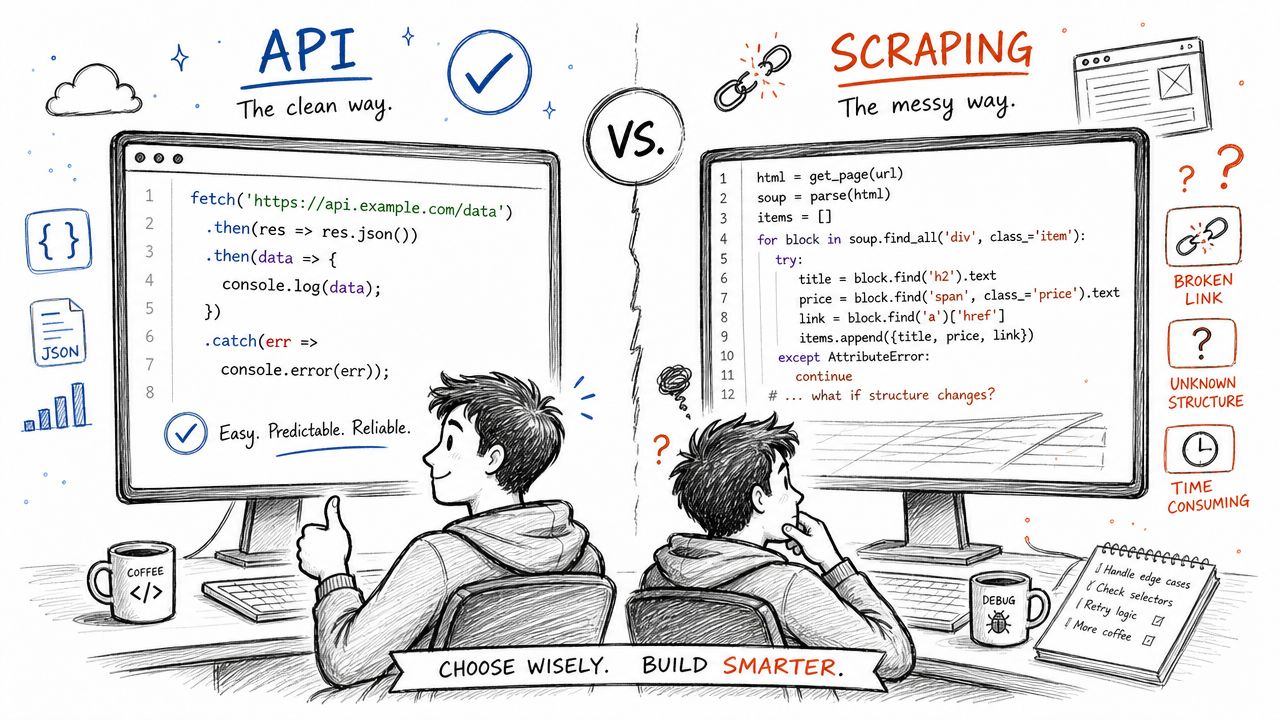
An API client is usually a request, an auth header, and a schema check. A scraper has to open the page, wait for the right state, locate elements that may change, and guard against missing content.
A simple API call
This is the shape engineers like because it’s compact and predictable:
const response = await fetch('https://api.example.com/products/sku-123', {
  headers: {
    'Authorization': `Bearer ${process.env.API_TOKEN}`,
    'Accept': 'application/json'
  }
});

if (!response.ok) {
  throw new Error(`API request failed: ${response.status}`);
}

const product = await response.json();

console.log({
  name: product.name,
  price: product.price,
  currency: product.currency,
  inStock: product.in_stock
});
You still need retries, rate-limit handling, and validation. But the structure is clear.
A Playwright example on Scraping Sandbox
Now compare that with scraping a public page on Scraping Sandbox. The exact selectors on a live site can change, so the point here is the pattern: load, wait, select, normalize, and handle failure paths.
const { chromium } = require('playwright');

(async () => {
  const browser = await chromium.launch({ headless: true });
  const page = await browser.newPage();

  try {
    await page.goto('https://scrapingsandbox.com/', {
      waitUntil: 'domcontentloaded'
    });

    await page.waitForLoadState('networkidle');

    const firstProduct = page.locator('.product-card').first();

    await firstProduct.waitFor();

    const name = await firstProduct.locator('.product-title').textContent();
    const price = await firstProduct.locator('.product-price').textContent();
    const productUrl = await firstProduct.locator('a').first().getAttribute('href');

    console.log({
      name: name?.trim(),
      price: price?.trim(),
      productUrl
    });
  } catch (err) {
    console.error('Scrape failed:', err.message);
  } finally {
    await browser.close();
  }
})();
That example already assumes the page is reachable, selectors are valid, and the content renders in a stable way. On a real commercial site, you’ll often add retries, user-agent handling, capturing screenshots on failure, proxy support, and fallback selectors.
A Puppeteer example on Scraping Sandbox
Puppeteer follows the same shape:
const puppeteer = require('puppeteer');

(async () => {
  const browser = await puppeteer.launch({ headless: 'new' });
  const page = await browser.newPage();

  try {
    await page.goto('https://scrapingsandbox.com/', {
      waitUntil: 'networkidle2'
    });

    await page.waitForSelector('.product-card');

    const product = await page.$eval('.product-card', el => {
      const name = el.querySelector('.product-title')?.textContent?.trim() || null;
      const price = el.querySelector('.product-price')?.textContent?.trim() || null;
      const link = el.querySelector('a')?.href || null;

      return { name, price, link };
    });

    console.log(product);
  } catch (err) {
    console.error('Puppeteer scrape failed:', err.message);
  } finally {
    await browser.close();
  }
})();
Practical rule: if you’re scraping a page that loads client-side components, your real task isn’t “parse HTML.” It’s “reproduce enough of the browser session to see the same data a user sees.”
That’s why scraping is slower operationally. AlterLab benchmark data shows browser automation tools like Playwright can take 5 to 15 seconds per URL, while many well-designed APIs respond in sub-second time.
The maintenance burden also compounds. Your first version works. Then the site changes a class name, splits price into separate nodes, adds a consent modal, or lazy-loads key content. That’s when the script turns into a monitored system with logs, retries, diagnostics, and alerting. If you want to operationalize that cleanly, the developer docs and API patterns for managed web scraping workflows are the kind of reference you end up wanting.
This walkthrough is useful if you want to see browser automation in action before deciding how much of it you want to own:
The API Gap When Scraping Becomes Necessary
A lot of teams assume the existence of an official API settles the decision. It usually doesn’t.
A key issue is whether the API exposes the fields your use case depends on. Public pages often show more than the official endpoint returns. An e-commerce API may include title, price, and SKU but omit review snippets, stock messaging, seller badges, page-level promotions, or “frequently bought together” blocks. A social platform API may expose profile basics but leave out public presentation details that matter for research.
Where the gap shows up
The most frustrating cases aren’t sites with no API. They’re sites with an API that is almost useful.
Recent studies cited by Tendem’s analysis of the API gap in public platforms show that 68% of major social and e-commerce platforms limit API field exposure to 40 to 50% of what is publicly visible on their websites. That’s the operational reason scraping doesn’t disappear after API adoption.
You see this gap in work like:
- Competitive intelligence, where the page includes promo labels or stock urgency not present in the API
- Catalog monitoring, where variant selectors and bundle messages are rendered on-page only
- Marketplace analysis, where seller presentation and page placement matter as much as base product fields
When the API gives you records but the page gives you context, scraping becomes the only way to complete the dataset.
Why this matters for project planning
This isn’t just a data collection detail. It affects architecture. If the API supplies identities, pagination, and stable object references, and the page supplies the missing business context, your pipeline should combine them rather than force a false choice.
That’s often the right answer in web scraping vs API discussions. Use the API where it fits. Scrape where the public page contains the missing truth.
The Hybrid Solution Managed Scraping with Agenty
There’s a third option between writing raw scrapers and relying only on official APIs. Use a managed scraping platform that gives you API-style access to browser-visible data.
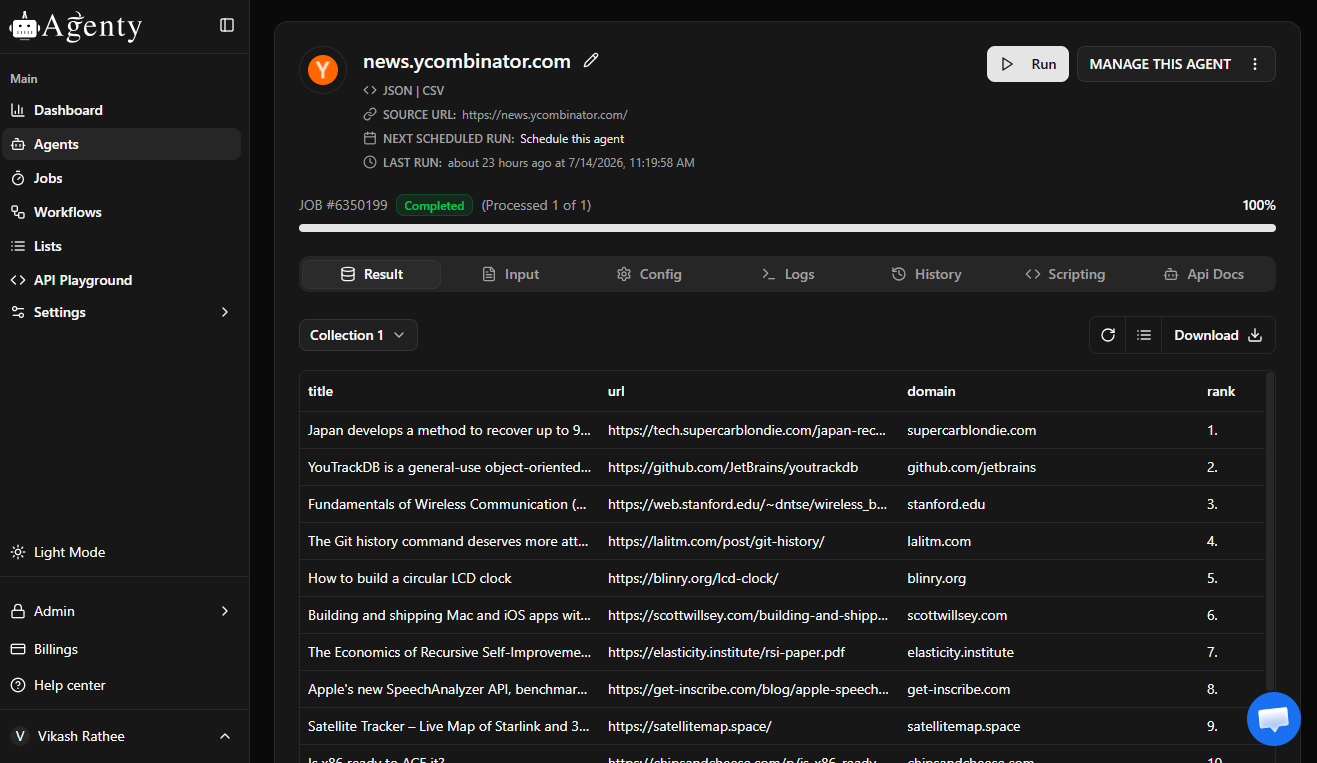
That model matters because most production scraping pain doesn’t come from extracting text. It comes from everything around it: browser execution, proxies, retries, job scheduling, anti-bot friction, output formatting, and ongoing site changes.
Why managed scraping fits recurring workloads
A platform like Agenty’s scraping agent fills this role. It lets teams define extraction targets and receive structured output through a REST-style workflow instead of maintaining every browser automation detail themselves. That changes the engineering trade-off from “can we scrape this page?” to “do we want to own the scraping infrastructure?”
For recurring jobs such as price monitoring, location data collection, content extraction, or website change detection, that’s often the difference between a working prototype and a maintainable system.
Why it matters for AI workflows
This approach also fits AI-heavy pipelines. Firecrawl’s explanation of web scraping in agentic AI workflows notes that web scraping gives AI agents real-time data access needed for autonomous tasks like competitor research, fact verification, and market monitoring.
That’s exactly where managed scraping is useful. AI agents need fresh public data, but they also need stable, structured outputs. A managed platform sits between the changing website and the downstream application, so your internal systems can consume normalized records instead of brittle page logic.
A good rule is simple: if scraping is a one-off, scripts are fine. If scraping becomes part of product infrastructure, abstraction starts to matter.
Your Data Project Decision Checklist
Use these questions before you commit engineering time.
- Does an official API provide all the fields you need? If yes, start with the API. It’s usually faster to implement and easier to maintain.
- Is critical data visible on the public page but absent from the API? If yes, scraping belongs in the design.
- Is this a one-time or short-lived extraction? If yes, a focused Playwright or Puppeteer script may be enough.
- Will the job run repeatedly across many pages or domains? If yes, plan for maintenance from day one. That usually pushes teams toward a managed approach.
- Will dynamic rendering, bot controls, or geographic access rules affect collection? If yes, avoid treating scraping like a lightweight script problem.
- Do downstream users need clean JSON or scheduled exports rather than raw page parsing? If yes, prioritize delivery format along with collection method.
The best web scraping vs API answer is usually pragmatic, not pure. Use APIs for sanctioned structured access. Use scraping when the browser shows what the API withholds. Use a managed layer when the data is valuable enough to collect repeatedly, but not valuable enough to justify building and maintaining a scraping platform yourself.